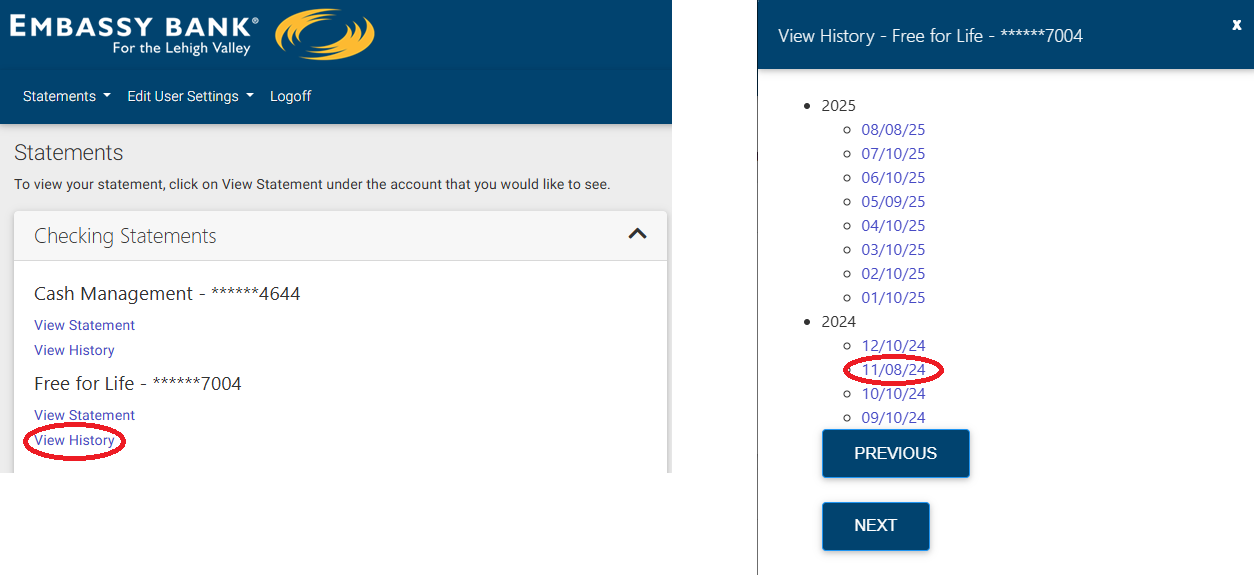
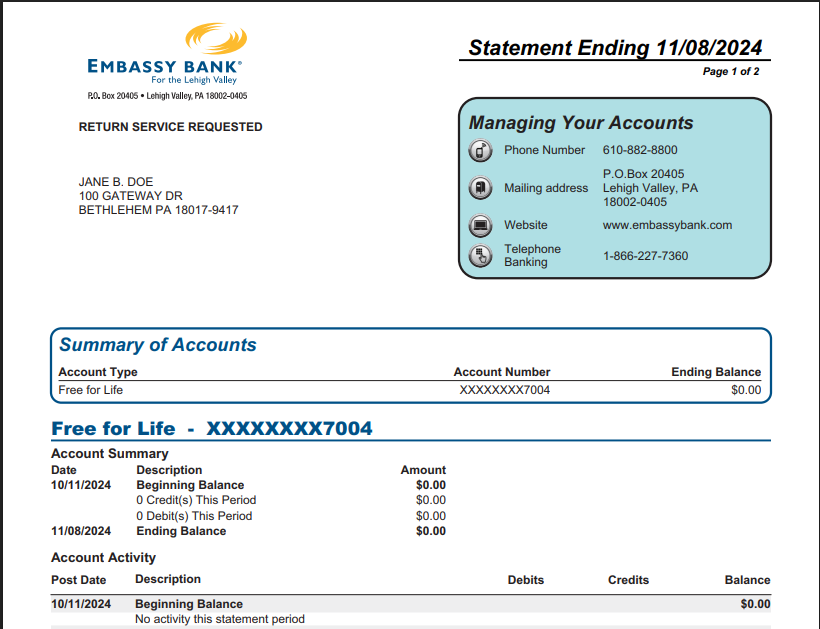
Personal Banking Website: Click on Statements in the main navigation bar. Click on the account number, then select the date in the right-hand column for the statement you’d like to view.

Personal App: Tap on the More button at the bottom, then tap on Statements. Tap on the Account Number, then select the date for the statement you’d like to view in the right-hand column.

Business Banking Website: In the main navigation bar, under Additional Services click on Online Statements. Click on the Account Number, then select the desired statement date in the right-hand column.

Business App: Tap on the More tab at the bottom of the screen. Tap on Online Statements. Tap on the Account Number, then select the date for the statement you’d like to view in the right-hand column.
If you are unable to view your statements, please refer to this troubleshooting article:
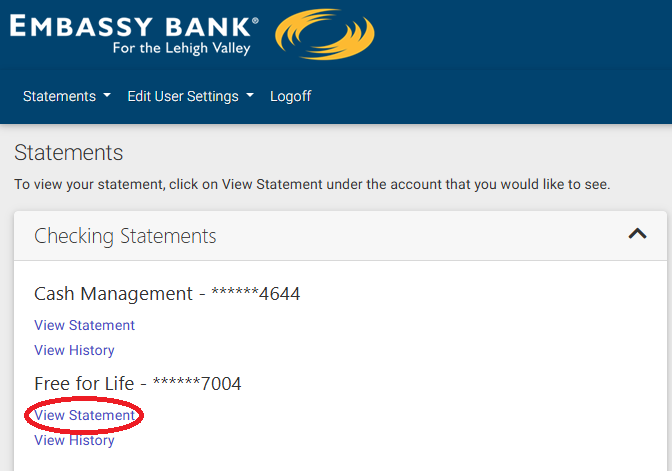
To view your most recent statement, click View Statement below the correct account.
To view an older statement from any month within the last 7 years, click View History, then select the date of the statement you would like to view. If it is older than the first ten displayed, click Next as many times as needed to go farther back.